






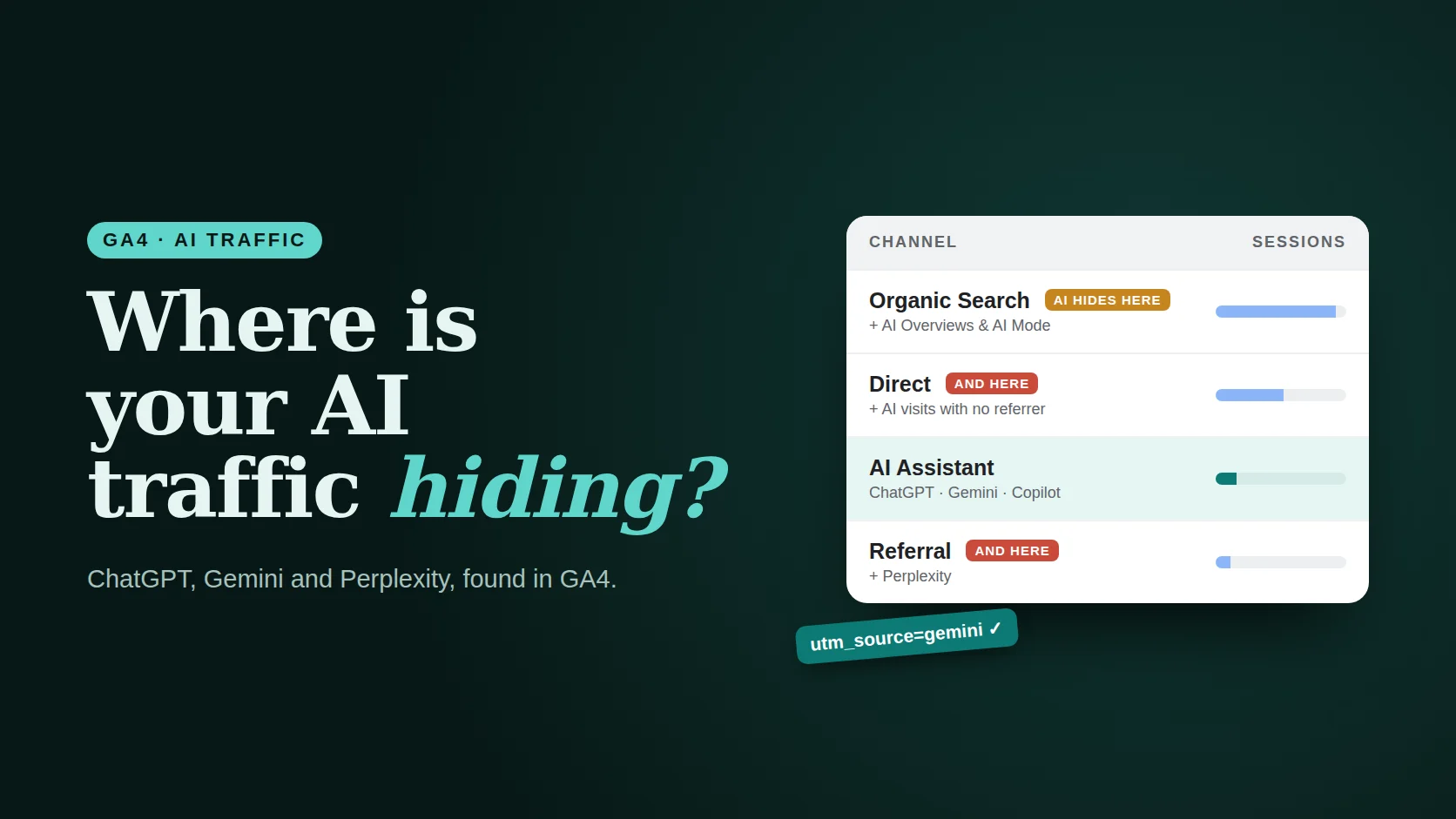
- GA4’s AI Assistant channel groups recognised AI referrers automatically, with medium ai-assistant. No setup needed.
- Gemini now adds utm_source=gemini to many outbound links, so it is easier to spot.
- Perplexity is reported to still land in Referral, and AI Overviews and AI Mode clicks are counted as Google organic.
- A custom channel group with one regex catches what the default misses. Build yours below.
Checked 25 October 2026. Google does not publish the full list of referrers behind the AI Assistant channel, and reports disagree on which assistants it covers. Treat the table below as a starting point and check Session source in your own property.
01Where each AI source shows up
An AI visit only lands in the right row if the AI app passes on a referrer or a UTM tag. Many do; some do not; and Google’s own AI features are counted as normal search.125
Illustration with example numbers. AI traffic is spread across four rows.
| Source | Typical session source | Default channel |
|---|---|---|
| ChatGPT | chatgpt.com (often with utm_source=chatgpt.com) | AI Assistant |
| Gemini | gemini (UTM) or gemini.google.com | AI Assistant |
| Microsoft Copilot | copilot.microsoft.com | AI Assistant |
| Perplexity | perplexity.ai | Referral (reported) |
| Claude | claude.ai | Reports disagree |
| Google AI Overviews / AI Mode | Organic Search | |
| AI apps that strip referrers | (direct) | Direct |
02Gemini’s new UTM tags
In September 2026, people noticed that links clicked in Gemini arrived with ?utm_source=gemini. Google’s John Mueller said he saw the tags too.3 One test logged 4,235 Gemini links: tags started appearing on 10 September, and by 28 September every captured link carried one. Workspace users’ links used utm_source=geminiforbusiness.4
Gemini is now visible
Tagged visits show as source gemini even when the browser drops the referrer, so fewer Gemini visits fall into Direct.
Two source names
Count both gemini and geminiforbusiness. B2B sites may find the Workspace version is the bigger one.
Not documented
Google has not documented the tagging, so it could change. Keep the referrer rule in your channel group as a backup.
Don’t add your own UTMs
UTM tags override referrer detection. Tagging links you share in AI tools can push real AI visits out of the AI Assistant channel.
Build your AI traffic regex
Pick the assistants you want to track. Copy the pattern into a custom channel group condition: Session source → matches regex.
Runs in your browser; nothing is saved. Patterns match the source names and domains these assistants are known to send; add others you see in your Session source report.
03Set up the channel group
Copy the default group
In GA4 go to Admin → Data display → Channel groups and choose Copy to create new on the default channel group.
Add a channel called “AI”
Click Add new channel. Condition: Session source · matches regex · paste your pattern.
Move it to the top
Channels are checked in order. Drag “AI” above Referral, Organic Search and Direct, or those rows will claim the visits first.
Save and use it in reports
In Reports → Acquisition → Traffic acquisition, switch the dimension to your new channel group. It also applies to past data.
Add a landing-page view
Add Landing page as a secondary dimension to see which pages AI tools send people to. Those are the pages AI trusts.
AI traffic is usually small. It is also often the best-qualified traffic you get: people arrive after an assistant has already recommended you.
04Read the numbers honestly
- It is a floor, not a total. Some AI apps strip referrers, so part of your AI traffic is in Direct.
- AI Overviews and AI Mode are invisible here. Use Search Console for those, and compare with clicks over time.
- Judge by quality. Compare engagement rate, key events and revenue per session against Organic Search, not just volume.
- Check monthly. New assistants appear and tagging changes. Scan Session source for unfamiliar AI domains.
Related: AI search visibility, the GA4 guide and a GA4 dashboard for CEOs.
Common questions
Does GA4 track ChatGPT traffic automatically?
Yes, mostly. Since May 2026, GA4 has an AI Assistant default channel that groups sessions from recognised AI referrers such as ChatGPT, Gemini and Copilot, with the medium set to ai-assistant. Visits where the AI app passes no referrer still show as Direct.
Why does Perplexity show as Referral in GA4?
Reports in 2026 say Perplexity is not yet in the list of referrers GA4 uses for the AI Assistant channel, so its visits land in Referral. A custom channel group with a regex such as perplexity catches them.
Can I see AI Overviews or AI Mode traffic in GA4?
No. Clicks from Google’s AI Overviews and AI Mode arrive as Google organic search and cannot be separated in GA4. Use Search Console to monitor Google Search performance.
What is utm_source=gemini?
Since September 2026, Gemini has been adding utm_source=gemini to many outbound links, and utm_source=geminiforbusiness for Workspace users. It makes Gemini visits visible in GA4 even when the referrer is missing. Google has not documented the change.
Method & sources
Checked October 25, 2026. Google has not published the full referrer list for the AI Assistant channel. Coverage below comes from analytics practitioners and tests; check your own property’s Session source report.
- Semrush, “GA4 adds AI Assistant channel for referral tracking”. semrush.com
- Nice Looking Data, “AI traffic in GA4: how ChatGPT, Perplexity, Gemini and Google AI Mode referrals actually show up”. nicelookingdata.com
- Engage Web, “Google Gemini adds UTM parameters to improve AI traffic tracking”. engageweb.co.uk
- Vizzybl, “Google Gemini UTM tags: how to track AI traffic”. vizzybl.ai
- Digital Applied, “GA4’s new AI Assistant channel: measure AI traffic in 2026”. digitalapplied.com