

Meta has added a new setting to the pixel in Events Manager, “Measure conversions on customer devices”. According to reports of the notice shown under the toggle, measurement starts on 12 November 2026, and the setting is switched on by default for eligible pixels. It does not apply to people in the EU and UK, so advertisers in Oman and the rest of the GCC are included.
- The setting is called “Measure conversions on customer devices”.
- Matching happens on the customer’s own device, using information they have already shared with you, such as an email address.
- Your attribution window and model do not change, but the number of reported conversions can.
- Record a baseline before 12 November so you can tell measurement from real growth.
What changes
| Item | Detail |
|---|---|
| Where | Events Manager → Data sources → your pixel → Settings |
| Starts | 12 November 2026, as shown under the toggle |
| Default | On for eligible pixels |
| Regions | Not active for people in the EU and UK |
| Attribution | Window and model unchanged |
Sources: Relevant Audience and Performance Marketing News, reporting the Events Manager notice.12
What to do before 12 November
Record a baseline
Export the last 28 days of purchases, cost per purchase and return on ad spend by campaign, plus your real orders from your store or CRM.
Find the toggle
Open each pixel’s Settings in Events Manager so you know where it is and whether it is on. Most advertisers will leave it on.
Judge by real orders
After 12 November, compare Meta’s numbers with orders in your own system, not only with last month’s Meta report.
Do not scale on day one
A jump in reported conversions in the first week may be measurement, not performance. Give it two to three weeks before changing budgets.
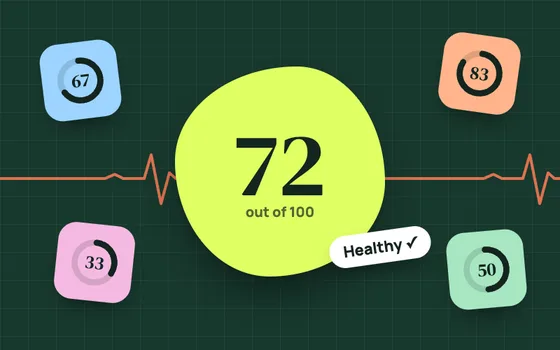
Real growth, or better counting?
Enter 28 days before and 28 days after 12 November. The check compares Meta’s reported purchases with your real orders.
Runs in your browser; nothing is saved. Use the same 28-day windows and the same campaigns on both sides.
More reported conversions is not the same as more sales. Measure both before you scale.
Related: Meta’s October default switches, Meta’s new AI ad terms and conversion tracking for Oman businesses.
Common questions
What is “Measure conversions on customer devices”?
A Meta pixel setting in Events Manager that lets Meta match some conversions on the customer’s own device, using information they have already shared with the business, such as an email address.
When does it start?
Reports of the notice in Events Manager say measurement starts on 12 November 2026.
Is it on by default?
It is reported to be switched on by default for eligible pixels. You can check and change it per pixel in Events Manager, in the pixel’s Settings.
Does it apply in Oman?
Reports say it is not active for people in the EU and UK. Oman and the rest of the GCC are not excluded.
Sources
Checked November 8, 2026.
- Relevant Audience, “Meta Pixel on-device conversion measurement explained”. relevantaudience.com
- Performance Marketing News, “Meta Pixel: conversions measured on customer devices”. performancemarketingnews.com