







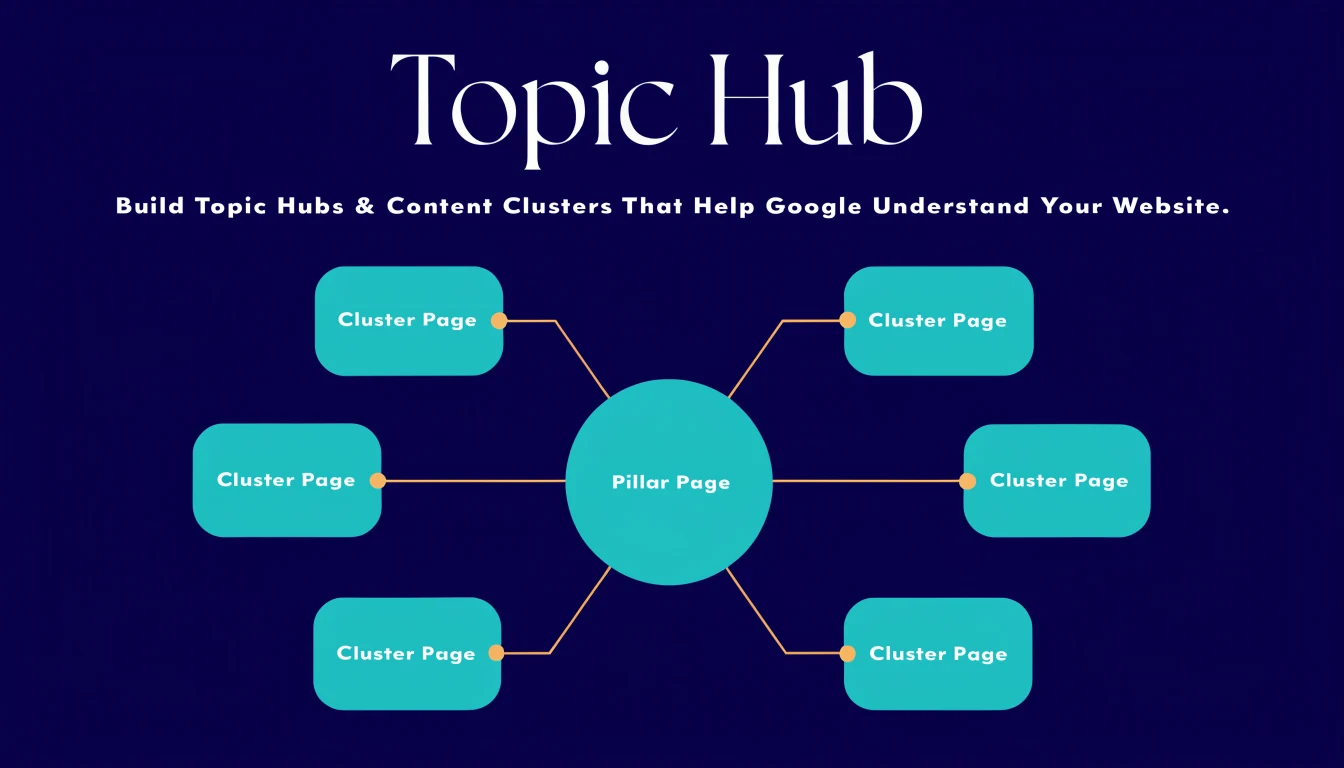
A topic hub is just a clean way to organise related content around one main subject. The benefit is bigger than neatness. It helps readers find the right page faster, and it helps search engines understand which page is the pillar and which pages support it.
If your site has a lot of articles but no clear map, Google can still crawl it, but the structure becomes harder to read. A good hub turns scattered posts into a system.
Short version: one strong pillar page, a small group of focused cluster posts, and internal links that go both ways.
The basic hub model
Think in three layers. The pillar page covers the full topic broadly. Cluster posts go deeper into one part of that topic. Supporting articles answer smaller questions and guide the reader to the right next step.
| Layer | Job | Example |
|---|---|---|
| Pillar page | Introduces the whole topic and points to the key subtopics. | SEO Best Practices for Businesses in Oman 2026 |
| Cluster post | Explains one subtopic in more detail. | Helpful, people-first content |
| Supporting post | Answers a narrow question that still belongs to the same theme. | SEO Content Brief Framework |
What makes a topic hub work
- One topic, not twenty unrelated ideas.
- One pillar that is clearly the main page.
- Supporting posts that answer deeper questions.
- Internal links that use natural anchor text.
- Consistent terminology across the whole cluster.
How to build the hub in the right order
1. Choose the pillar first
Pick the broad page that deserves to be the main entry point. It should be the most complete overview of the topic, not just another blog post competing with the others.
2. Map the cluster around real questions
Use questions people actually ask, not random keyword variants. A good cluster usually covers definitions, comparisons, process steps, mistakes, and next actions.
3. Keep each supporting post focused
One page should solve one job. If a post tries to cover everything, it usually ends up weak and hard to link.
4. Link the hub both ways
The pillar should link out to the cluster posts. The cluster posts should link back to the pillar and sideways to the most relevant support pages. That is how the topic stays connected.
5. Refresh the cluster over time
Topic hubs work best when they are living systems. Add new posts when the topic grows, merge thin posts, and keep the pillar page current.
Where most sites go wrong
Many websites call something a "hub" but the structure is really just a category page with a pile of unrelated links. That does not help much. A real hub has hierarchy, intent, and a predictable reading path.
- The pillar is too narrow to act as the main page.
- The cluster articles repeat the same idea in different clothes.
- Links are added only in the footer instead of inside the content.
- The site uses vague labels like "more articles" instead of descriptive anchors.
- No one updates the cluster after the first publish.
Official references
- SEO Starter Guide - Good for internal links, title structure, and page organisation.
- Creating helpful, reliable, people-first content - Useful when deciding what should sit in the hub.
- Google Search Essentials - The baseline for crawlability, indexing, and quality.